
Introduction
Gimkit Create is an innovative feature of Gimkit, a popular online learning platform that has transformed how students interact with educational content. Interestingly, Gimkit was developed by a high school student, highlighting how creativity and technology can intersect to reshape education. Unlike traditional quizzes that often feel repetitive or monotonous, Gimkit Create empowers both teachers and students to design personalized, interactive learning experiences.
This feature allows users to craft customized quizzes, called “kits,” that can include multiple-choice questions, short answers, and even multimedia elements like images and videos. What sets Gimkit apart is its gamified approach to learning—students earn points, in-game currency, and rewards as they answer questions correctly, turning studying into a fun, engaging, and competitive activity.
Moreover, Gimkit Create is not just about answering questions; it emphasizes real-time feedback, adaptive learning, and collaborative engagement. Teachers can monitor progress, identify areas where students struggle, and adjust the kits accordingly. For students, this creates a sense of motivation and excitement, transforming the learning process into an experience that is both educational and enjoyable.
In essence, Gimkit Create bridges the gap between traditional classroom learning and modern digital interactivity, making it a powerful tool for educators and learners alike. Whether for reinforcing classroom lessons, revising for exams, or exploring new topics, Gimkit Create offers a dynamic, flexible, and highly engaging platform that keeps students actively involved in their learning journey.
What is Gimkit Create?
Gimkit Create is a powerful feature within the Gimkit platform that allows educators and students to design their own interactive learning games. Unlike standard quiz tools, which often offer fixed question sets or pre-made tests, Gimkit Create puts the control of content directly in the hands of the user, making it highly customizable and adaptable to any learning environment.
At its core, Gimkit Create enables users to build what are called “kits”—collections of questions that can be tailored for specific lessons, subjects, or learning objectives. These kits can include a variety of question types, such as multiple-choice, true/false, and short answer formats, as well as options for integrating images, videos, and hints to enhance understanding. This flexibility ensures that the material is not only relevant but also engaging for students of all levels.
What makes Gimkit Create particularly unique is its gamification features. Students do more than just answer questions—they earn in-game currency, unlock power-ups, and compete with classmates, making the learning process interactive and exciting. This approach transforms studying from a passive task into an active, motivational experience, encouraging participation and retention of knowledge.
In addition to engagement, Gimkit Create provides valuable insights for educators. Teachers can track student performance in real time, identify which questions are most challenging, and adjust the kits accordingly. This data-driven approach allows for targeted learning and ensures that educational goals are being met effectively.
Whether used for classroom lessons, homework, or exam preparation, Gimkit Create is a dynamic tool that bridges the gap between traditional education and modern digital learning, offering a unique combination of customization, engagement, and educational insight.

Key Points of Gimkit Create
1. Part of the Larger Gimkit Ecosystem
Gimkit Create is an integral component of the broader Gimkit platform, which is designed to transform traditional learning into an interactive digital experience. Being part of this ecosystem means that kits created by teachers or students can seamlessly integrate with other Gimkit features, such as live games, collaborative sessions, and pre-made content libraries. This connectivity ensures that the learning experience is cohesive, versatile, and easy to manage across different subjects and grade levels.
2. Focuses on Student Engagement and Gamified Learning
One of the standout aspects of Gimkit Create is its emphasis on gamification. Rather than treating quizzes as a static assessment tool, it turns them into exciting, game-like experiences. Students can earn points, in-game currency, and rewards for correct answers, making learning competitive, motivating, and fun. This gamified approach not only increases participation but also improves knowledge retention, as students are more likely to remember information when it is presented in an interactive and enjoyable way.
3. Allows Custom Content Creation, Not Just Pre-Made Quizzes
Unlike many online quiz tools that rely solely on pre-made questions, Gimkit Create empowers educators and students to design fully customized content. This means lessons can be tailored to specific classroom objectives, student skill levels, or unique study topics. Teachers can include images, videos, and hints to make questions more engaging, while students can even create their own kits for peer learning or self-study. This flexibility ensures that every learning experience is unique, relevant, and highly effective.
Features of Gimkit Create
1. Customizable Questions
Gimkit Create allows users to design highly flexible and interactive questions. Educators and students can create multiple-choice, true/false, or short-answer questions tailored to specific lessons or learning objectives. To make the content more engaging, kits can include hints, images, or videos, helping to clarify concepts and provide a richer learning experience. This level of customization ensures that every kit is relevant, interactive, and adaptable to different learning styles.
2. Gamification
One of the most unique aspects of Gimkit Create is its gamified learning environment. Students earn in-game money or points for correct answers, which can be used to unlock power-ups or other game features. This not only makes learning competitive and enjoyable but also motivates students to participate actively. By turning assessment into a game, Gimkit increases engagement and encourages students to learn through fun, interactive challenges rather than passive study.
3. Real-Time Feedback
Gimkit Create provides instant feedback for both students and teachers. As students answer questions, they immediately know whether their answers are correct, helping to reinforce learning on the spot. Teachers, on the other hand, can monitor student progress in real time, quickly identifying areas where learners struggle. This feature ensures that learning is adaptive and responsive, allowing educators to adjust lessons or provide support as needed.
4. Collaborative Learning
Gimkit Create supports collaboration and peer learning. Kits can be shared with other educators or students, making it easy to conduct group studies, class competitions, or team-based learning activities. By fostering a collaborative environment, students not only reinforce their own understanding but also learn from their peers, promoting a sense of community and shared knowledge.
5. Analytics & Progress Tracking
Gimkit Create provides detailed analytics to help teachers evaluate student performance. Educators can track which questions are most frequently missed, identify patterns in student responses, and gain insights into overall class understanding. This data-driven approach allows for targeted interventions, ensuring that lessons are adjusted to meet the needs of students and maximize learning outcomes.
Benefits of Using Gimkit Create
1. Engagement
Gimkit Create transforms traditional study materials into interactive, game-like experiences. By incorporating points, challenges, and competitive elements, students become more involved in the learning process. This heightened engagement ensures that learners are not just passively consuming information but are actively participating, practicing, and retaining knowledge.
2. Flexibility
One of the greatest advantages of Gimkit Create is its versatility. It can be used for any subject, grade level, or learning objective. Whether it’s math, science, language arts, or history, educators can design kits that are perfectly aligned with their curriculum. This flexibility allows teachers to meet the diverse needs of their students and tailor content for different skill levels or learning styles.
3. Motivation
The gamified features of Gimkit Create, such as points, in-game currency, and power-ups, make learning rewarding and enjoyable. Students are motivated to answer questions correctly, participate actively, and improve their performance. This system of rewards not only encourages consistent effort but also builds a sense of achievement and competition, driving learners to excel.
4. Adaptability
Gimkit Create allows teachers to continuously update and refine their kits based on student performance. By analyzing which questions are missed most often, educators can modify content to address knowledge gaps, reinforce challenging concepts, or introduce new material. This adaptability ensures that the learning experience remains dynamic, personalized, and effective over time.
How to Create a Gimkit
Creating a Gimkit is a simple yet powerful process that allows educators and students to design interactive learning experiences tailored to their needs. Here’s a step-by-step guide:
1. Sign in to Your Gimkit Account
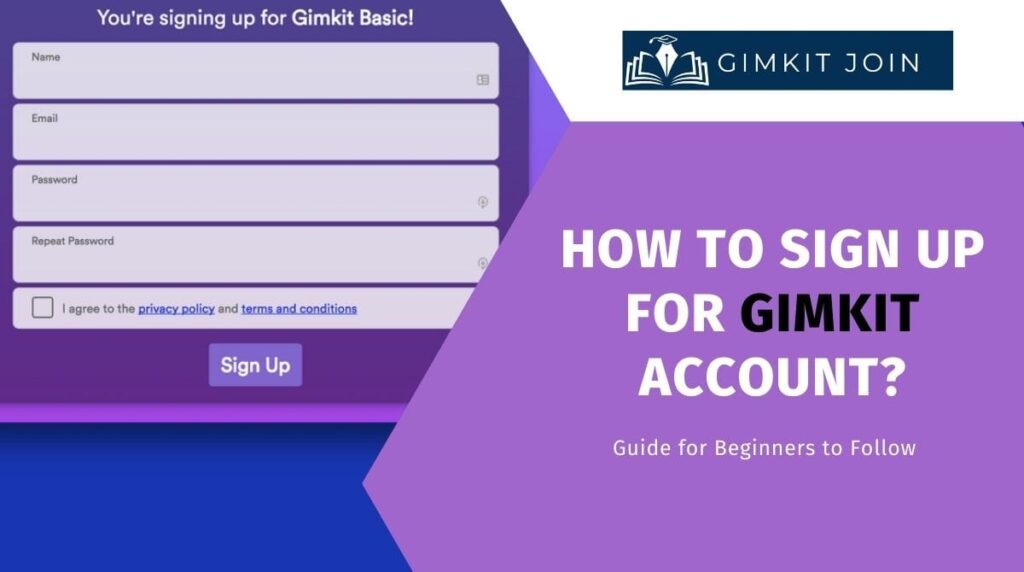
The first step is to log into your Gimkit account. If you don’t already have an account, you can quickly sign up at no cost. Once signed in, you’ll have access to the full suite of Gimkit features, including the ability to create your own custom kits.
2. Click on “Create Kit”
After logging in, navigate to the “Create Kit” button on your dashboard. This will open the kit creation interface, where you can start building your personalized quiz or learning game.
3. Choose Question Types and Input Your Content
Gimkit allows for various question formats, including multiple-choice, true/false, and short answer. Here, you can input your content, add hints, or even include images and videos to make your questions more engaging. This step ensures that your kit is tailored to your lesson objectives and student needs.
4. Customize Settings
Before launching your kit, you can adjust several settings to enhance the gaming experience. Options include timers for each question, point values, in-game money, and power-ups. These settings allow you to make the quiz more interactive and competitive, motivating students to stay engaged throughout the session.
5. Share With Students
Once your kit is ready, you can easily share it with students via a direct link or a unique game code. Students can join from any device, making it convenient for classroom, remote learning, or homework activities. You can then monitor progress, track results, and adjust the kit as needed to maximize learning outcomes.
By following these steps, anyone can quickly create a customized, interactive, and fun learning experience using Gimkit Create.

Tips for Effective Gimkit Creation
Creating an engaging and effective Gimkit goes beyond simply adding questions—it requires thoughtful planning and design. Here are some tips to ensure your kits are both educational and enjoyable:
1. Keep Questions Clear and Concise
When designing a Gimkit, clarity is key. Questions should be straightforward and easy to understand, avoiding overly complex language or ambiguous phrasing. Clear questions help students focus on the content rather than deciphering the wording, ensuring accurate assessment of knowledge.
2. Use Multimedia to Enhance Understanding
Incorporating images, videos, or audio clips can make questions more interactive and appealing. Multimedia elements help illustrate concepts, provide context, and cater to different learning styles. For example, a short video can explain a science experiment, or an image can provide a visual clue for a history question.
3. Balance Difficulty Levels to Maintain Engagement
A well-designed Gimkit includes a mix of easy, moderate, and challenging questions. Too many difficult questions can discourage students, while overly simple questions may lead to boredom. Balancing difficulty ensures that learners are consistently challenged and motivated, maintaining engagement throughout the game.
4. Include Periodic Reviews to Reinforce Learning
To enhance retention, it’s helpful to revisit key concepts periodically within a kit. This could involve repeating important questions or including review sections after a few rounds. Reinforcement through repetition ensures that students retain knowledge over time rather than just memorizing answers for a single session.
By following these tips, educators and students can create Gimkits that are effective, interactive, and enjoyable, maximizing both learning outcomes and student engagement.
Conclusion
Gimkit Create is far more than a traditional quiz tool—it is a dynamic platform that transforms the way students learn. By combining customization, gamification, and real-time feedback, it turns the learning process into an interactive, engaging, and student-centered experience. Students are not only motivated to participate but also develop a deeper understanding of the material through active involvement.
For educators, Gimkit Create offers a flexible and adaptable solution. Teachers can design content tailored to their curriculum, monitor student progress in real time, and adjust kits to address learning gaps. Its gamified approach encourages consistent effort, boosts engagement, and improves retention, making lessons more effective and enjoyable.
Ultimately, Gimkit Create bridges the gap between traditional education and modern digital learning, providing a powerful tool for fostering motivation, collaboration, and knowledge mastery. Whether for classroom instruction, homework, or exam preparation, Gimkit Create ensures that learning is both effective and fun, empowering students to achieve their full potential.
FAQs
1. What is Gimkit Create?
Gimkit Create is a feature within the Gimkit platform that allows educators and students to design customized quizzes and interactive learning games. It emphasizes gamified learning and engagement rather than traditional static quizzes.
2. Who can use Gimkit Create?
Both teachers and students can use Gimkit Create. Teachers can design kits for classroom use, while students can create kits for peer learning, revision, or self-study.
3. What types of questions can I include in a Gimkit?
You can create multiple-choice, true/false, and short-answer questions. Additionally, you can add hints, images, or videos to make the questions more interactive and engaging.
4. How does gamification work in Gimkit Create?
Students earn points, in-game currency, and power-ups for correct answers. These elements make learning competitive and enjoyable, motivating students to actively participate.
5. Can Gimkit Create be used for any subject?
Yes, it is highly versatile. Gimkit Create can be used for math, science, language arts, history, and more, making it suitable for any grade level or subject area.
6. How do teachers track student progress?
Gimkit Create provides real-time analytics. Teachers can see which questions students struggle with, track individual or class performance, and adjust the kits to target learning gaps.
7. Can kits be shared with other teachers or students?
Yes. Kits can be shared via a link or unique game code, enabling collaboration, group study, or classroom competitions.
8. Do students need a Gimkit account to play?
Students do not necessarily need a full account. They can join a game or kit using a code provided by the teacher, making it accessible from any device.
9. Is Gimkit Create free to use?
Gimkit offers a free basic version with core features. Some advanced features, customization options, or analytics may require a paid subscription.
10. How can I make my Gimkit more effective?
To maximize effectiveness:
- Keep questions clear and concise.
- Use multimedia to enhance understanding.
- Balance question difficulty.
- Include periodic reviews to reinforce learning.